Official Developer Guide – the following guide is showing screenshots only while I was reading through the Official Developer Guide and setting up the AWS blockchain template for Ethereum. The screenshots are providing aids if you had bumped into the corner that you were not 100% understand sure how the setup should be.
1. Create a VPC (Virtual Private Cloud) and Subnets (1 Private and 2 Public in different Availability Zones/Regions) – where you will have Ethereum Nodes and Application Load Balancer and a Bastion Host
2. Create Security Groups – firewall to control inbound and outbound traffic between internal EC2 and external clients
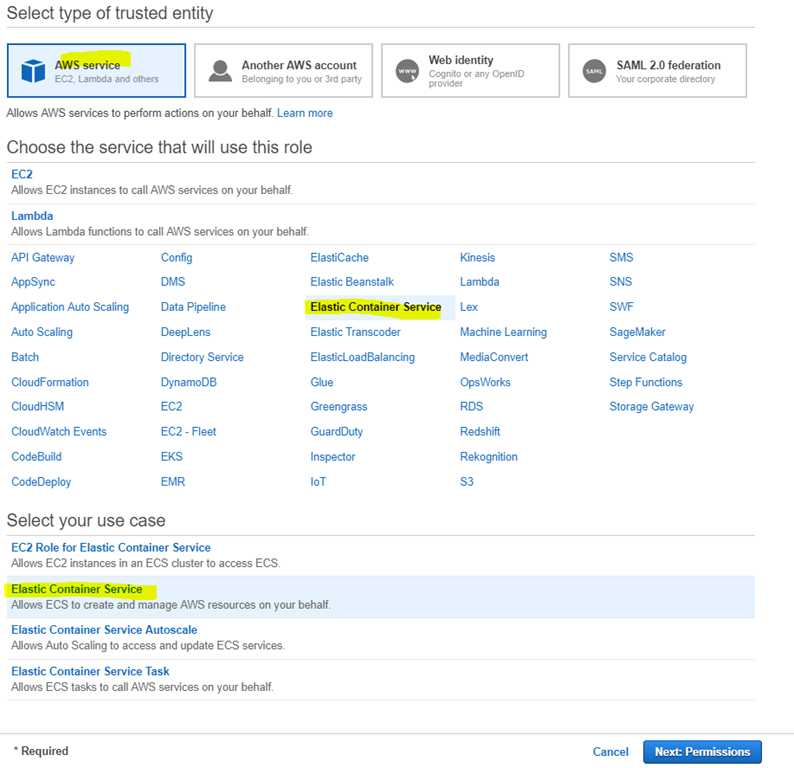
3. Create an IAM (Identity and Access Management like ‘https://your_aws_account_id.signin.aws.amazon.com/console/’) Role for Amazon ECS and an EC2 Instance Profile – policy of roles within Security Groups
4. Create a Bastion Host – a jumpbox between external clients and EC2 machines or Ethereum Nodes
Let’s get started
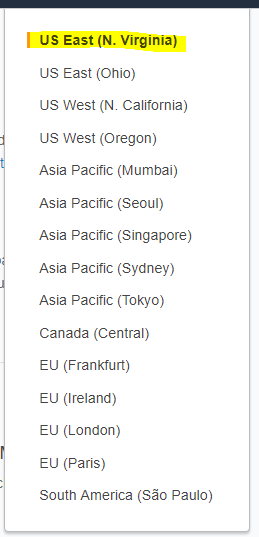
Step 1 – Choose a cheapest region (US East – N. Virgina) in where AWS blockchain templates are available.
Step 2 – Create Elastic IP address including public subnet and private subnet

Step 3 – To create the VPC using ‘Start VPC Wizard’


Step 4 – Create second public subnet with the same route table from first subnet


Step 5 – Create Security Group


Step 6 – Create an IAM Role for Amazon ECS and and EC2 Instance Profile


Step 7 – Create a Bastion Host (Jump Box) – Launch an AMI Amazon Machine Image for Linux


Step 8 – Connect a Bastion Host (Jump Box) – Download PuTTY


Step 9 – Create the Ethereum network using the AWS Blockchain Template for Ethereum – Launch in US East (N. Virginia) region (us-east-1)
Below shows the main changes and others leave the defaults.


Step 10 – Configure FoxyProxy to use the SSH tunnel for Ethereum network URLs – Download FoxProxy Standard extension for Chrome


Choose ‘Use proxies based on their pre-defined patterns and priorities’ to connect to EthStats and EthExplorer Using the Bastion Host, plus internet browsing as usual.

After you played with AWS Ethereum and you don’t want to keep it as it costs $$$, then you can clean up all services you created above by doing this sequence actions ‘Delete the stack >> Delete the VPC >> Delete the IAM role and EC2 instance profile >> Terminate the EC2 instance for the bastion host’.
When deleting VPC, the attached EC2 instances will need to be deleted first, plus need to delete NAT Gateways prior deleting VPC.

 Ididtryit Blog